Make work clear,
get it done.
Klaarin organizes work across projects, tasks, and teams — with Kanban boards, design review, time tracking, and an AI task generator baked in from day one.
Motion graphics intro
Brand identity refresh
Q3 campaign landing page
Client presentation deck
Social media asset pack
Email campaign copy
5
Project views
Kanban, Calendar, Gantt, List, Table
5
Permission roles
Client, Member, Lead, Admin, Superadmin
85%
Less status meetings
Aggregated from anonymous usage data
10×
Tab savings
Fewer tools replaced by one workspace
Everything you need
Structured for the way creative work actually flows.
Categories, types, durations, workload, reviews, time tracking, and an AI task generator — all in one workspace, from day one.
Kanban, Calendar & Gantt
Switch views in one click. See your work as a board, a monthly calendar, or a Gantt timeline — all pulling from the same live data.
Design review & annotations
Draw directly on designs. Leave pinned comments on exact areas. Resolve feedback without back-and-forth email threads.
Time tracking built in
One-click timers on every task. Automatic reports, billable hour breakdowns, and admin controls — no integrations needed.
AI task generator
Describe a project in plain language. Klaarin drafts a full task list — with types, categories, and assignees pre-filled.
Categories & task types
Label tasks the way your studio actually works. Fully customizable types and categories that map to your delivery process.
Workload at a glance
See who's overloaded and who has capacity — before you assign. Resource views that keep projects moving and people balanced.
See your work your way
Three views.
One source of truth.
Switch between Kanban, Calendar, and Gantt without losing context. Every view pulls from the same data — so your board, your timeline, and your calendar are always in sync.
Kanban
Drag-and-drop task cards across status columns
Calendar
Monthly grid showing tasks by deadline or start date
Gantt
Timeline bars with dependencies and infinite scroll
Motion graphics intro
Brand identity refresh
Q3 campaign landing page
Client presentation deck
Social media asset pack
Email campaign copy
Sarah K. · annotation #1
Hero headline needs more contrast — try white text or a darker overlay.
Marcus T. · resolved
Fixed in v3.3 — bumped overlay to 60% opacity.
Ship designs, faster
Annotate directly.
No more "see my email."
Draw rectangles on any design, leave pinned comments on exact areas, and resolve feedback without hunting through email threads. Your revision history lives right inside the task.
- Draw annotation boxes directly on uploaded images
- Threaded comments tied to each annotation
- Mark feedback resolved — no status meetings needed
- Version history: review any previous design upload
- Aspect ratio switcher for 16:9, 9:16, 1:1, or freeform
Know where your time goes
Time tracking that doesn't feel like homework.
One-click timers on every task. Automatic totals by project and person. Export a full time report to Excel in seconds — or let admins review and annotate entries directly.
- Start/stop timers on any task in one click
- Billable and non-billable hour breakdown
- Per-project and per-member time summaries
- Admin controls: edit entries and add comments
- Export to Excel for client billing in one click
Today's total
6h 42m
Brand Identity — Research
2:14:36
Q3 Landing Page
Frontend build
3:10:00
Client Deck
Slide design
0:58:24
Social Assets
Illustration
0:19:52
Our philosophy
"We believe work isn't just tasks to finish.
It's an act of creation."
The Klaarin team
Keep everyone aligned
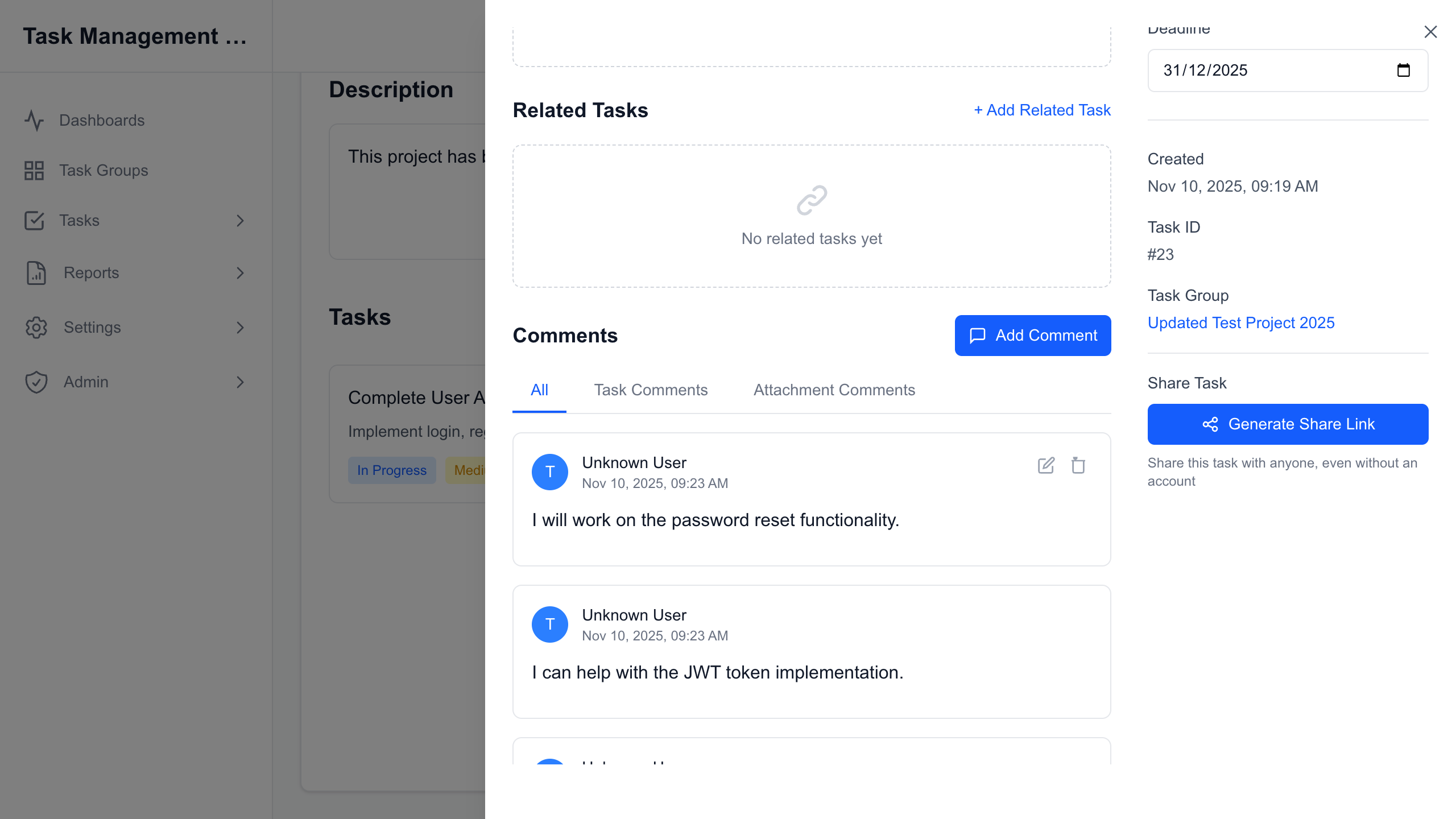
Comments live where the work lives.
Every task has a comment thread. Rich-text replies, @mentions, nested responses — organized by section so design feedback doesn't mix with dev notes.
- Rich-text comments with full @mention support
- Nested reply threads on every task
- Separate General and Design comment sections
- File attachments directly inside comment threads
From kickoff to delivery
Project → People → Tasks
→ Track → Review → Deliver.
Klaarin covers every step of the way — without forcing a rigid process on your team.
Create a project
Add a project with name, dates, and status. Invite clients, leads, and contributors in seconds.
Add your team
Assign roles with granular permissions. Clients only see what they need. Your team sees everything.
Build your tasks
Create tasks with types, categories, deadlines, and dependencies. Link subtasks so nothing blocks progress.
Assign & track
Start timers, log hours, and watch the board update in real time as work moves through your pipeline.
Review & deliver
Upload designs, collect annotated feedback, approve deliverables, and hand off — all inside the project.
Get started today
Run your studio
in one place.
Join forward-thinking agencies already using Klaarin to manage projects, track time, review designs, and deliver better work — faster.